Efficient Uninstalling Tool for Windows

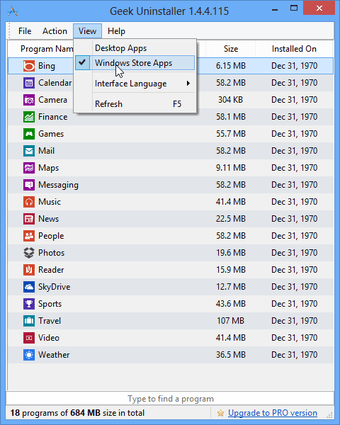
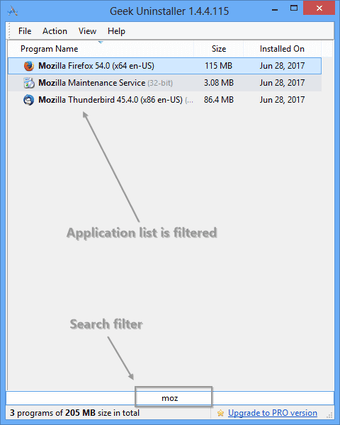
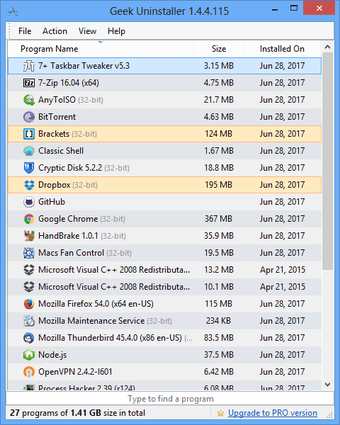
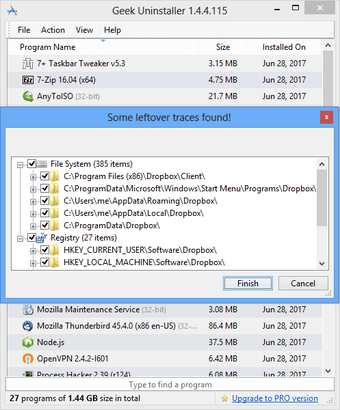
GeekUninstaller is a free utility designed for Windows users to efficiently remove unwanted software and applications. This tool stands out for its fast performance and user-friendly interface, allowing users to quickly navigate through installed programs and execute uninstalls with ease. It also provides additional features such as the ability to remove leftover files and registry entries, ensuring a thorough cleaning process after an application is uninstalled.

Top Recommended Alternative
In addition to standard uninstallation functions, GeekUninstaller offers a portable version that can be run without installation, making it convenient for on-the-go users. The program supports batch uninstallation, enabling the removal of multiple applications at once, which can save significant time. Overall, GeekUninstaller is a reliable choice for anyone looking to manage their Windows applications effectively.


 0/4

App specs

  • License

    Free

  • Version

    1.5.3.170
  • Latest update

  • Platform

    Windows

  • OS

    Windows Vista

  • Language

    English

    Available languages

    • Arabic
    • Czech
    • German
    • Greek
    • English
    • Spanish
    • French
    • Italian
    • Japanese
    • Korean
    • Dutch
    • Norwegian
    • Polish
    • Portuguese
    • Russian
    • Swedish
    • Turkish
    • Chinese
  • Downloads

    37.2K

    Last month's downloads

    • 80
  • Size

    2.81 MB

  • Developer

Program available in other languages


Icon of program: GeekUninstaller

GeekUninstaller for PC

  • Free
  • 4.3
    90
  • 37.2K
  • V1.5.3.170

User reviews about GeekUninstaller

4.3

2 reviews

Add review

Main reviews for you

  • Anonymous user

    Deletes stubborn software which requires CD for uninstalling.. It is a very pretty user friendly software which facilitates even a lay man to understand the options without any tutorials. I installed it to delete a program /software which didn't uninstall in 'install/uninstall a program' option in Windows 10. and it successfully deleted that stubborn software without affecting my PC.

  • Anonymous user

    Simple, extremely effective, easy and gets the job done.. I've tried a ton of uninstallers over the years. Geek Uninstaller is, hands down, the finest uninstaller I've ever seen. Simple, extremely effective, easy and gets the job done. Congrats. Pros: Simple and easyExtremely effectiveGets the job done Cons: none

More

You may also like

Alternatives to GeekUninstaller

Explore Apps

Latest articles

Laws concerning the use of this software vary from country to country. We do not encourage or condone the use of this program if it is in violation of these laws.


Softonic

Is GeekUninstaller safe?

100/100

Score result: Clean

This file passed a comprehensive security scan using VirusTotal technology. It is safe to download.

  • Virus free
  • Spyware free
  • Malware free
  • Verified by Security Partners

    VirusTotal logo

Scan Info

Last scan
Saturday, October 21, 2023
Scan provider
VirusTotal · Full report

File Integrity

File
geek.zip
SHA256
2c84c3145f9b4ae6f1e0099536902754f5b79001557a9f345bc69eb72080f61c
SHA1
ba57239efc02f9ae48f345a31dff5a0ac217c863

Softonic security commitment

GeekUninstaller has been thoroughly scanned by our advanced security systems and verified by industry-leading partners. This file comes from the official developer and has passed all our security checks, showing no signs of viruses, malware, or spyware. For more information, visit our Security and Trust Center